

How to Reduce Image Size Online Without Losing Quality

In today’s digital world, images are used everywhere. From websites and blogs to online forms, social media posts, eCommerce stores, digital documents, and profile pictures, images play an important role in communication. A clear and attractive image can make content look professional, trustworthy, and engaging. However, there is one common problem that many users face: large image file size.
A high-quality image taken from a mobile phone or camera may look beautiful, but it can also be very heavy. Sometimes one photo can be 3MB, 5MB, or even larger. These large files can create many problems. They may take too long to upload, slow down website pages, fail to attach in emails, or get rejected by online application forms. This is why many people search for an easy way to reduce image size online without making the photo look blurry or damaged.
The good news is that you do not need advanced editing software to solve this problem. With a simple online image tool, you can resize, compress, and optimize your photos in just a few clicks. Whether you are a student, job seeker, blogger, website owner, designer, marketer, or business owner, image optimization can save time and make your work easier.
Why Image Size Matters Online
Image size is more important than many people realize. A large image does not only take more storage space; it also affects performance, upload speed, and user experience. If you are uploading an image to a website or online form, the platform may have a fixed size limit. If your file is larger than the allowed limit, the upload may fail.
For websites, image size directly affects page speed. A website with large images may load slowly, especially on mobile devices or slower internet connections. Visitors usually do not wait long for a page to open. If the page takes too much time, they may leave and visit another website instead.
For businesses, this can mean losing potential customers. For bloggers, it can reduce reader engagement. For online stores, slow product pages can reduce sales. That is why image optimization is not just a technical task; it is part of creating a better digital experience.
What Does It Mean to Reduce Image Size?
Reducing image size means making the file lighter so it takes less storage space and uploads faster. This can be done in two main ways. The first method is resizing the image dimensions. For example, if an image is 4000 pixels wide, you may resize it to 1200 pixels wide for website use. The second method is compression, where the file size is reduced by optimizing image data.
Both methods are useful. Resizing changes the width and height of the image, while compression reduces the file size. A good online tool often combines both features, helping users create images that are smaller but still clear.
For example, if you have a 5MB photo, you may resize it and compress it to 300KB or 200KB, depending on your need. This makes the image easier to upload and share.
Resize Image Without Losing Quality
One of the biggest concerns people have is quality loss. Nobody wants an image that looks pixelated, faded, or unclear. This is why the phrase resize image without losing quality is searched by many users who want smaller images but still need professional-looking results.
It is important to understand that reducing file size always involves some level of optimization. However, a good tool can maintain the visual quality by using smart resizing and compression techniques. The goal is to remove unnecessary file weight while keeping the image sharp enough for its purpose.
For example, a photo used on a website does not always need to be extremely large. A smaller version can look just as good on the screen if it is properly resized. Similarly, a form photo does not need a very high resolution. It only needs to be clear, properly cropped, and within the required file size.
Why Use an Online Image Tool?
Many people use professional editing tools to resize and compress images, but not everyone needs complicated software. Online image tools are popular because they are simple, fast, and beginner-friendly. You do not need to install anything on your computer. You only need to upload your image, choose your preferred settings, and download the optimized version.
An image compressor online free tool is especially useful for everyday users. It helps reduce file size without requiring design skills. Students can use it for exam forms, job seekers can use it for applications, bloggers can use it for featured images, and business owners can use it for website photos.
Another major benefit is accessibility. Since the tool works online, it can be used from a desktop, laptop, tablet, or mobile browser. This makes it convenient for users who need quick image editing on the go.
Common Problems Caused by Large Images
Large images can create different issues depending on where you use them. One common problem is upload failure. Many websites have file size limits. If the image is too large, the system may show an error message.
Another problem is slow loading. If you upload large images to your website, your pages may become heavy. This can affect both desktop and mobile users. A slow website can also reduce the effectiveness of your SEO efforts because page experience is important for users.
Large images can also create problems in email. Some email platforms limit attachment size. Even if the email is sent, the receiver may have difficulty downloading large files. For social media, oversized images may get automatically compressed by the platform, sometimes reducing quality in an uncontrolled way.
By reducing image size before uploading, you can avoid many of these problems.
Resize Image to Specific KB
Many users do not only need a smaller image; they need an exact file size. For example, an online application form may require a photo under 100KB. A government form may require a signature image under 50KB. A document upload portal may accept only images under 200KB.
In these cases, the feature resize image to specific KB becomes very useful. Instead of guessing again and again, users can target a required file size and prepare the image accordingly.
This is especially helpful for passport photos, ID proof images, scanned documents, certificates, signatures, and official form uploads. It saves time and reduces frustration because users can create a file that matches the platform’s requirements.
Compress JPEG to 200KB
JPEG is one of the most common image formats used online. It is widely accepted by websites, social media platforms, forms, and applications. However, JPEG files can still be too large if they are captured in high resolution.
Many people search for compress JPEG to 200KB because 200KB is a common upload limit for forms and documents. If your JPEG image is 2MB or 3MB, you may need to reduce it before uploading.
A good online compressor can reduce a JPEG file to 200KB while keeping the image readable and clear. This is useful for job applications, academic forms, government portals, business documents, and other online submissions.
Image Compression for Websites
Website owners should pay special attention to image compression. A website may look attractive with high-quality images, but if those images are too large, they can slow down the entire site. Speed matters because users expect websites to open quickly.
Compressed images help pages load faster. They also reduce server load and bandwidth usage. For websites with many visitors, this can improve performance and reduce hosting pressure.
For blogs, compressed images make articles easier to read and faster to load. For eCommerce sites, optimized product images improve browsing experience. Customers can view products quickly without waiting for heavy images to load.
Using a free image resizer online tool can help website owners prepare images before uploading them to the site. This small step can make a big difference in overall performance.
Image Optimization for Social Media
Social media platforms have different image sizes and formats. A Facebook post image is different from an Instagram story. A LinkedIn profile photo is different from a YouTube thumbnail. If your image does not match the required dimensions, important parts may get cropped.
Resizing images before posting gives you better control over how your visuals appear. It helps make sure your design, text, face, product, or main subject stays visible.
For social media marketers, this is very important. A properly sized image looks more professional and can improve engagement. Whether you are posting a brand graphic, personal photo, event announcement, or promotional banner, resizing helps your content look clean and platform-ready.
Image Resizing for Online Forms
Online forms are one of the most common reasons people need image resizing. Students applying for exams, job seekers submitting applications, and users completing verification forms often need to upload photos in specific dimensions and file sizes.
A form may ask for a passport-size photo, signature, ID card, or certificate image. If the file is too large or the dimensions are wrong, the form may reject it.
This is where online resizing tools become extremely helpful. Users can resize photos quickly and meet the required format without visiting a photo studio or using complicated software.
Difference Between Resizing and Compressing
Many people use the words resizing and compressing together, but they are not exactly the same. Resizing means changing the image dimensions, such as width and height. Compressing means reducing the file size by optimizing the image data.
For example, an image can be 4000 x 3000 pixels and 5MB in size. If you resize it to 1200 x 900 pixels, the file size will usually become smaller. If you then compress it, the file size can become even lighter.
Both methods are useful, and the best result often comes from using them together. Resizing helps match the image to the required dimensions, while compression helps meet the required file size.
How to Choose the Right Image Size
The right image size depends on where you want to use it. For websites, images should be large enough to look clear but not so large that they slow down the page. For social media, each platform has recommended dimensions. For online forms, you must follow the given file size and pixel requirements.
If you are not sure, it is better to use a balanced image size. For blog images, widths between 1000 and 1600 pixels often work well. For form photos, follow the official instructions carefully. For documents, make sure the text remains readable after compression.
A good online tool gives you flexibility, so you can adjust size based on your purpose.
Benefits of Reducing Image Size Online
Reducing image size online offers many practical benefits. It saves time because the process is quick. It saves storage because optimized images take less space. It improves upload success because smaller files are accepted more easily. It improves website speed because lighter images load faster.
It also helps users avoid unnecessary software. Not everyone wants to install heavy editing tools for a simple task. Online tools make image resizing and compression accessible to everyone.
For businesses and marketers, optimized images also help maintain brand quality. Clean, fast-loading visuals create a better impression on users.
Who Needs Image Resizing and Compression?
Image resizing is useful for many types of users. Students need it for exam forms and academic submissions. Job seekers need it for resumes, profile photos, and application portals. Bloggers need it for article images. Website owners need it for faster pages. Social media managers need it for platform-specific graphics.
Photographers may use it to send sample images. eCommerce sellers need it for product galleries. Designers use it to prepare preview images. Office workers use it to compress scanned documents.
In short, anyone who uploads, shares, or publishes images online can benefit from image resizing and compression.
Tips to Keep Image Quality Clear
To keep image quality clear, start with a good original image. A blurry photo will not become sharp after resizing. Avoid reducing the image too much if you still need details. Choose the right format for your purpose. JPEG is good for photos, while PNG can be useful for graphics with text or transparency.
When compressing, use a balanced setting. Extreme compression can reduce quality. If the image is for a form, make sure the face, text, or document details are still clear after resizing.
Preview your image before final use. This helps ensure it looks good and meets your upload requirements.
Why Online Tools Are Better for Quick Tasks
For simple image tasks, online tools are often better than heavy software. They are faster, easier, and more convenient. You do not need to learn editing techniques or spend time installing programs.
Online tools are also helpful when you are using a shared computer or mobile device. Since everything works in the browser, you can complete the task quickly.
This makes online image resizing ideal for urgent work, such as submitting a form before a deadline or preparing images for a blog post.
Final Thoughts
Images are an important part of online communication, but large image files can create many problems. They can slow down websites, fail during uploads, take extra storage, and make sharing difficult. By using a reliable online tool, you can resize, compress, and optimize images quickly.
Whether you need to resize image without losing quality, use an image compressor online free, resize image to specific KB, or compress JPEG to 200KB, online tools make the process simple and stress-free.
For students, professionals, bloggers, business owners, and marketers, image optimization is no longer optional. It is a basic digital skill that saves time and improves results. With the right tool, you can reduce image size online and prepare your photos for websites, forms, social media, emails, and everyday online use.
Categorieën
- Lifestyle
- Motivation
- News & Trends
- AI
- Gadgets & Reviews
- Tech News
- Marketing
- Onderwijs
- Health & Fitness
- Travel
- Food & Cooking
- Entertainment
- Home & Living
- Sports
- Art
- Causes
- Crafts
- Dance
- Drinks
- Film
- Fitness
- Food
- Spellen
- Gardening
- Health
- Home
- Literature
- Music
- Networking
- Other
- Party
- Religion
- Shopping
- Sports
Read More
The concept of earning money by playing online games has seen a significant change over the last couple of years. What was initially thought to be entertainment for the sake of it has evolved into a logical and planned method for players to earn a steady, recurring income stream. One of the platforms that is which are getting attention, Oldtenexch has been a favorite option for those looking to...

Indian weddings mix joy, family ties, and a splash of sparkle. But what if you could turn that big day into a full story of luxury and ease? Picture this: your guests arrive to custom welcomes, every detail whispers your love story, and you soak it all in without a worry. That’s the promise of premium wedding planners in India. They go beyond the pheras — the sacred circles of...

For individuals experiencing moderate to severe pain, prescription treatment may become part of a structured recovery plan. Many patients research how to buy hydrocodone online with a valid prescription, but understanding the medical and legal framework behind this process is essential. Safe access depends on professional evaluation, pharmacy verification, and responsible medication use....

Screen entryways are basic for property holders who need new discussion whereas keeping creepy crawlies, tidy, and flotsam and jetsam exterior. Be that as it may, over time these entryways can create issues such as torn work, harmed outlines, worn rollers, or misaligned tracks. When these issues happened, proficient screen entryway repair Athens administrations became the best arrangement....

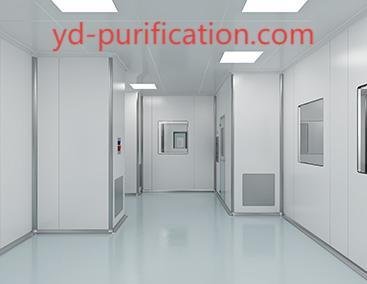
In advanced manufacturing facilities, Clean Room Partition systems define spatial order, contamination control, and workflow clarity. As industrial standards evolve, yd-purification provides engineered partition structures designed for regulated environments across pharmaceutical, electronics, medical, and laboratory applications. Structural integrity, surface smoothness, and modular...